Skip to content

Case studyInfiniqe × A&G CASA

A&G CASA

A custom application connecting product selection to installation.

The business was growing. Too much still depended on the owner.

What the client needed

A&G CASA needed a custom application to manage its furniture-sourcing journey from client visits in China and product selection to vendors, shipping, inspection, and installation.

Separate tools and manual workflows made coordination difficult. Customer selection files alone took 3–4 days to prepare.

The goal: bring the workflow into one application and enable the team to manage it.

Connect each product to its entire journey.

  • Capture the selection once

    Record product choices digitally and generate structured Excel selection files through a two-click export.

  • Make physical products traceable

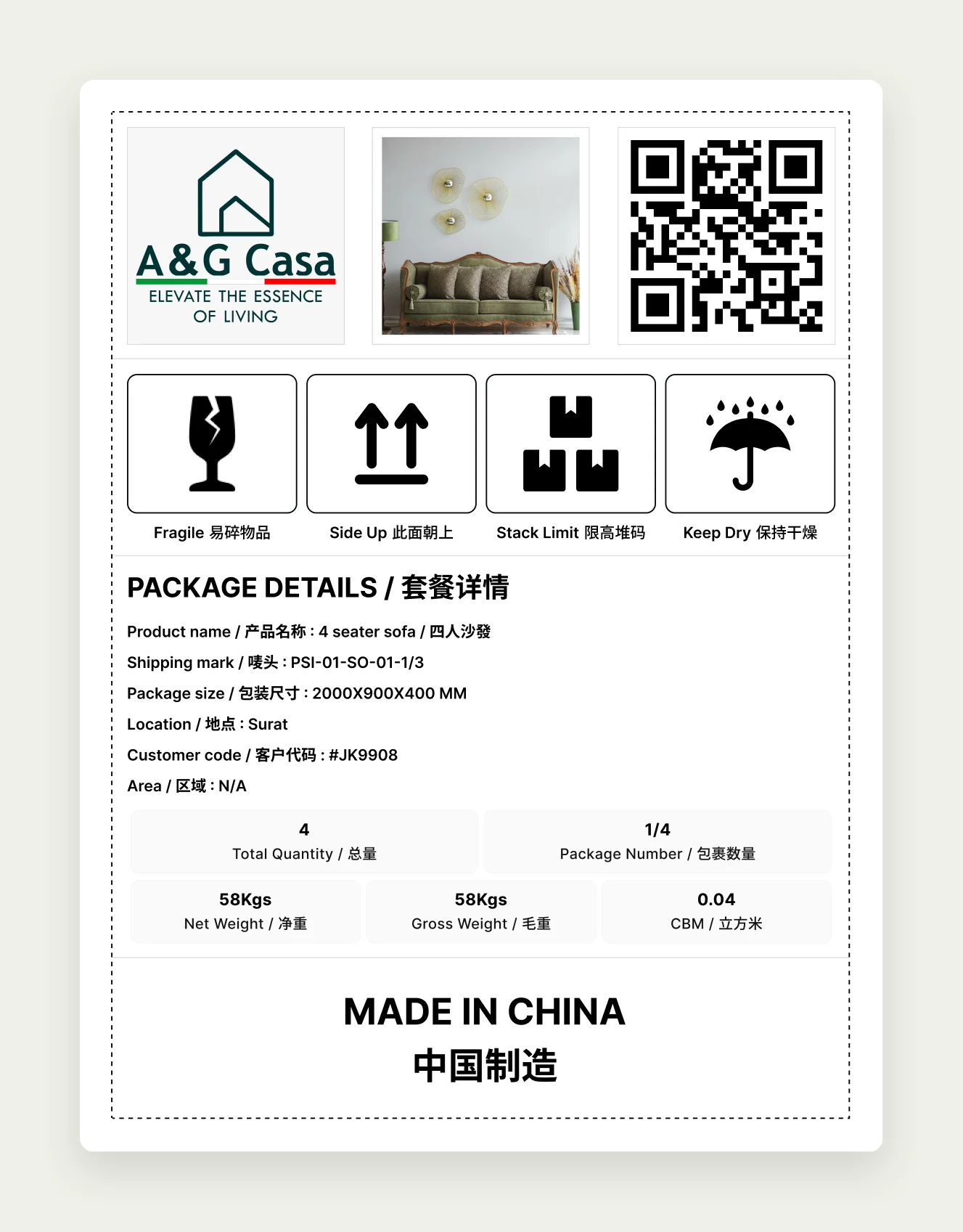
    Use QR-based shipping marks to identify products, record inspections, report damage, and update installation status.

  • Put the workflow in the team’s hands

    Connect vendors, orders, projects, and employee access within one application.

  1. Selection
  2. Ordering
  3. Shipping
  4. Inspection
  5. Installation

The application we built.

  1. Clients & projects

    • Client Records
    • China Visits
    • Project Documents
    • Employee Access

    1 / 5

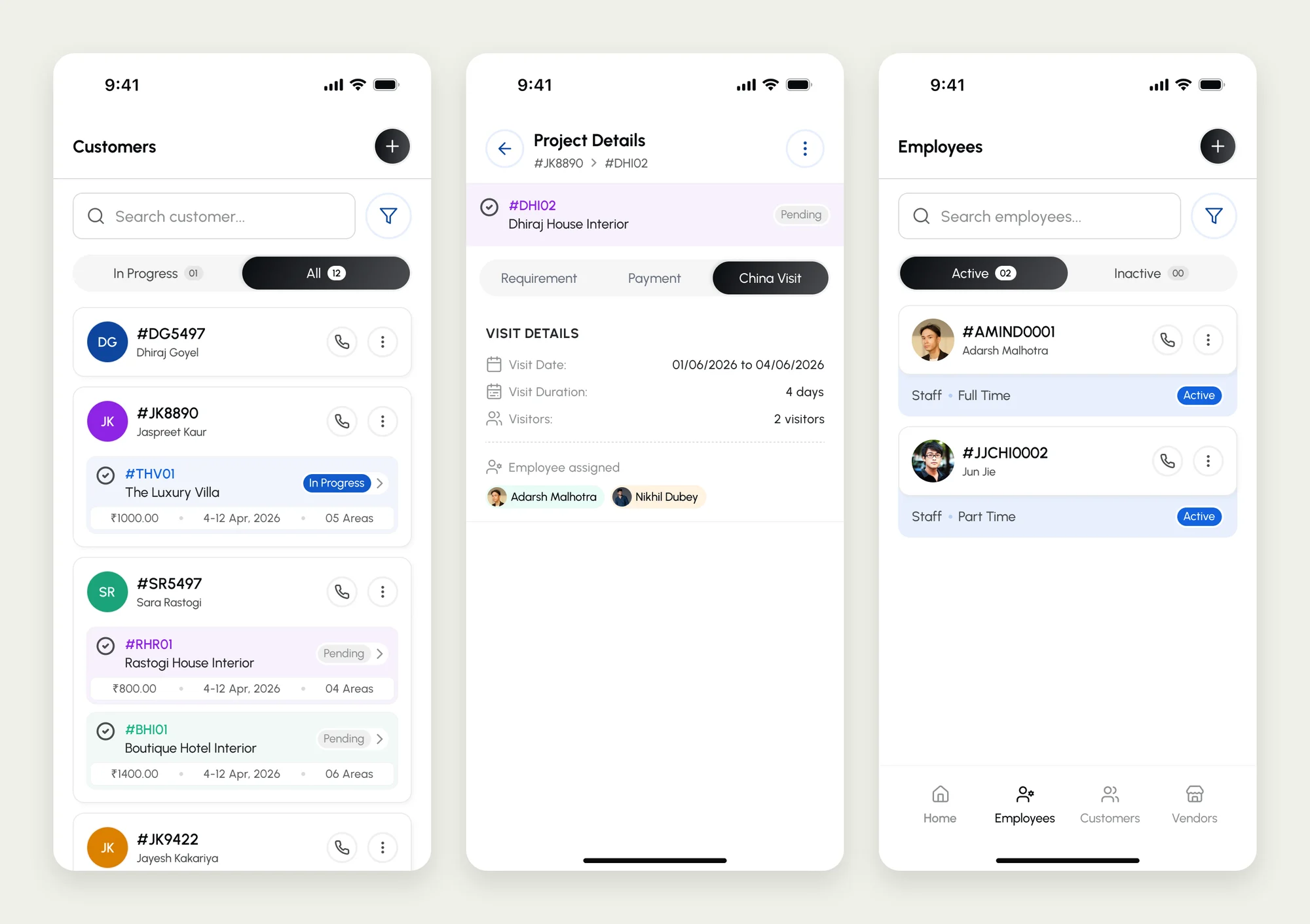
    • Three A&G CASA app screens: the customer list with each client's projects and status, a project's China visit details with dates and assigned employees, and the active employee list.
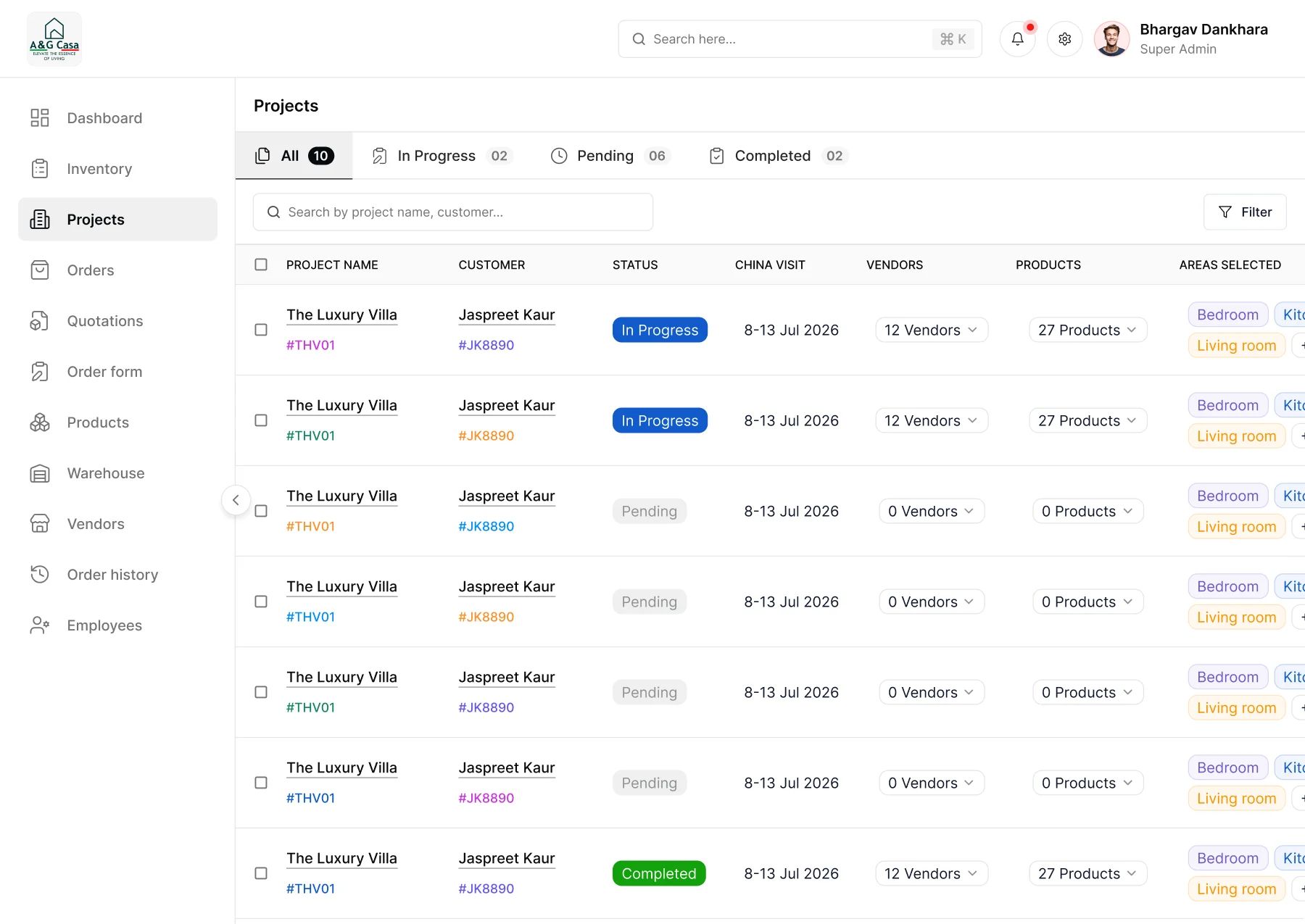
    • The A&G CASA project list on the web app: every client project with its status, China visit dates, vendor and product counts, and the areas selected.
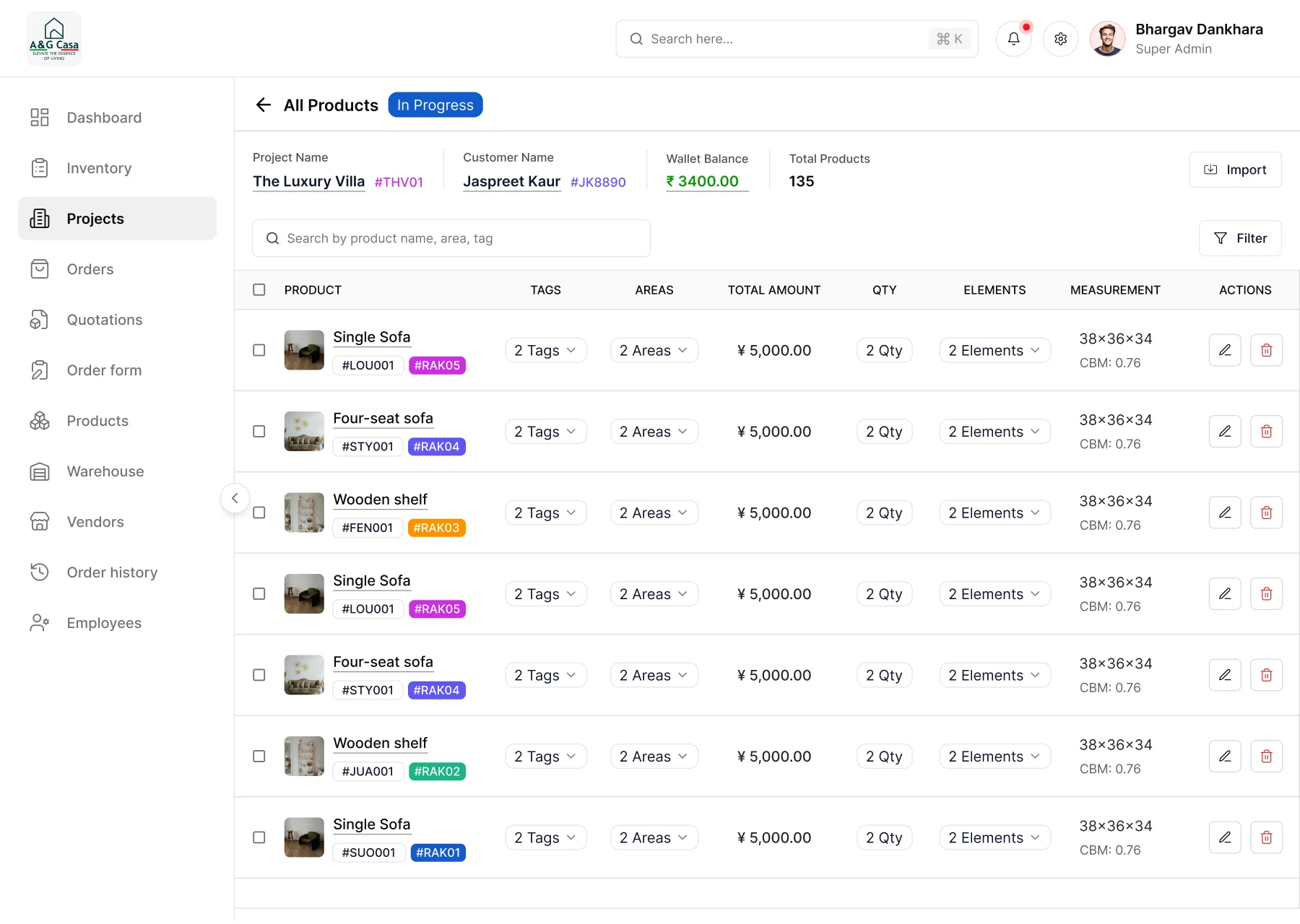
    • A project's product list on the A&G CASA web app: the wallet balance and total products up top, then each product with its tags, areas, amount, quantity and measurements.
  2. Selection & sourcing

    • Digital Product Selection
    • Two-Click Excel Export
    • Vendor Orders
    • Lead Times

    2 / 5

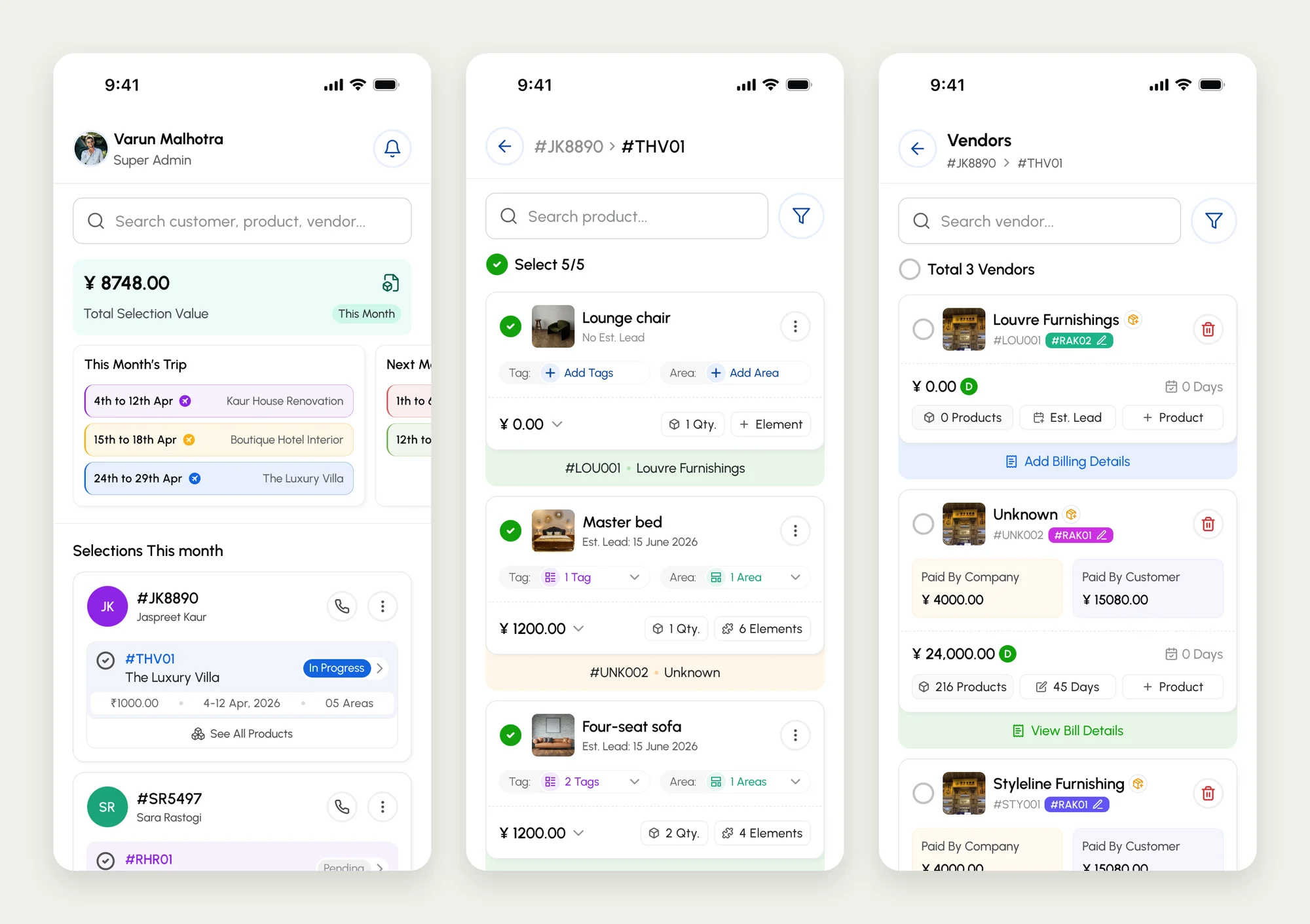
    • Three A&G CASA app screens: the home screen with the month's selection value and China trips, a client's selected products with tags and areas, and the vendors for a project with their order totals and who paid.
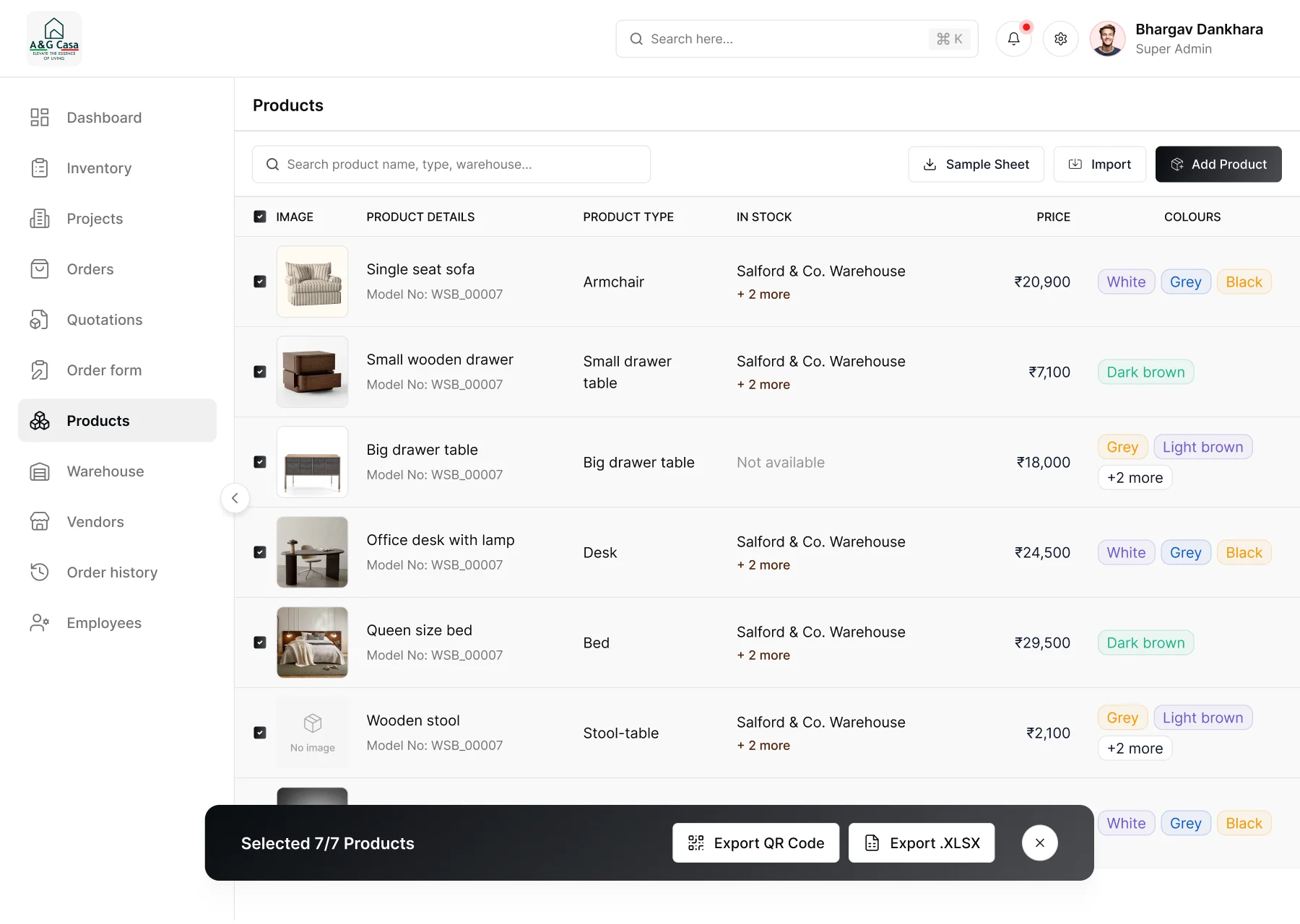
    • The A&G CASA product catalogue on the web app: each product with its type, warehouse stock, price and colours, with all seven selected for QR code or spreadsheet export.
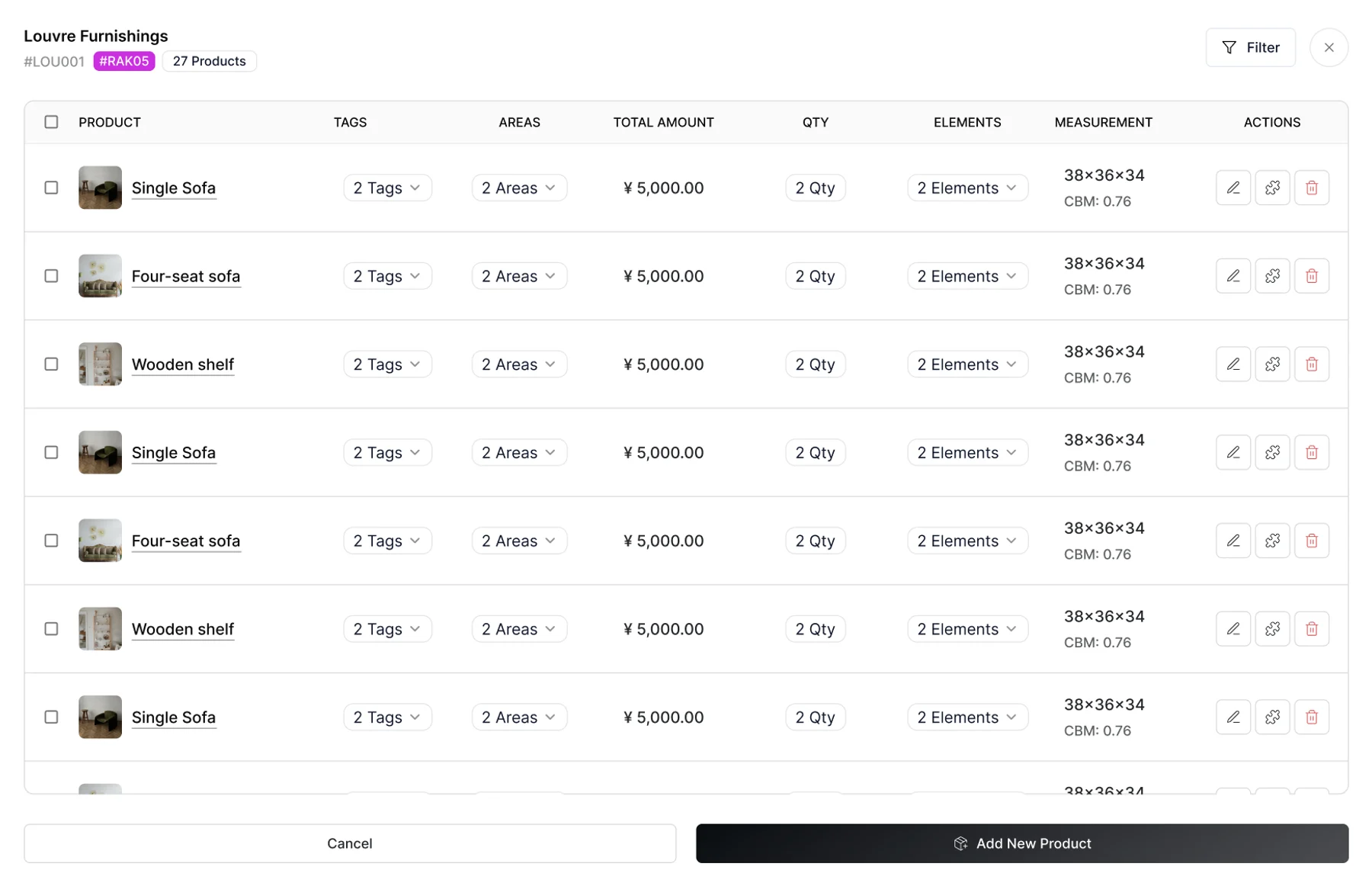
    • A vendor's products on the A&G CASA web app: Louvre Furnishings' 27 products with tags, areas, amounts, quantities and measurements, and a button to add a new product.
  3. Tracking & quality control

    • QR Shipping Marks
    • Product Tracking
    • Inspection
    • Damage Reporting

    3 / 5

    • An A&G CASA QR shipping label in English and Chinese: the brand logo, a product photo and QR code, handling icons, and package details such as product name, shipping mark, size, weight and CBM.
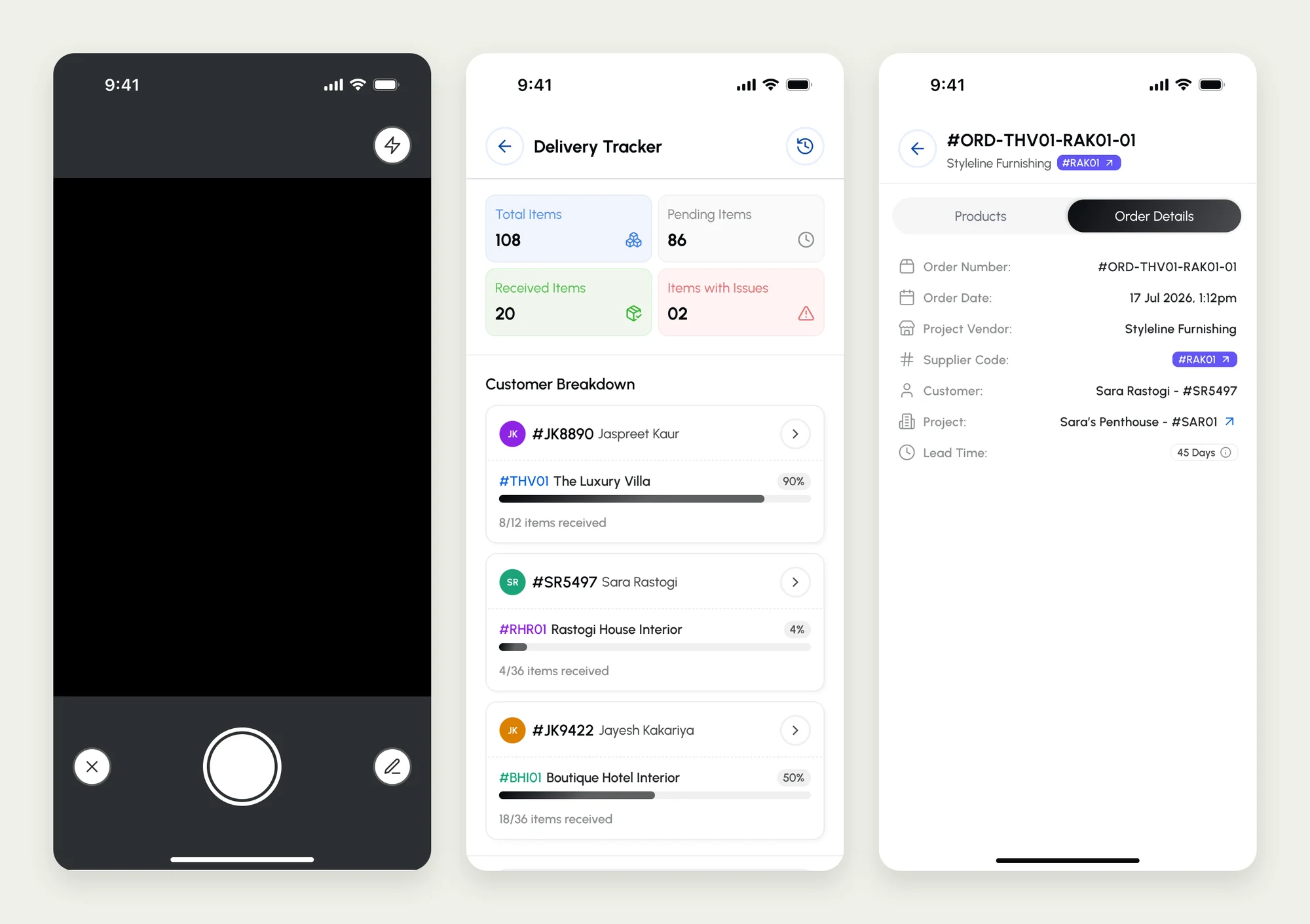
    • Three A&G CASA app screens: the QR scanner camera, the delivery tracker with total, pending, received and problem items per customer, and the details of a vendor order.
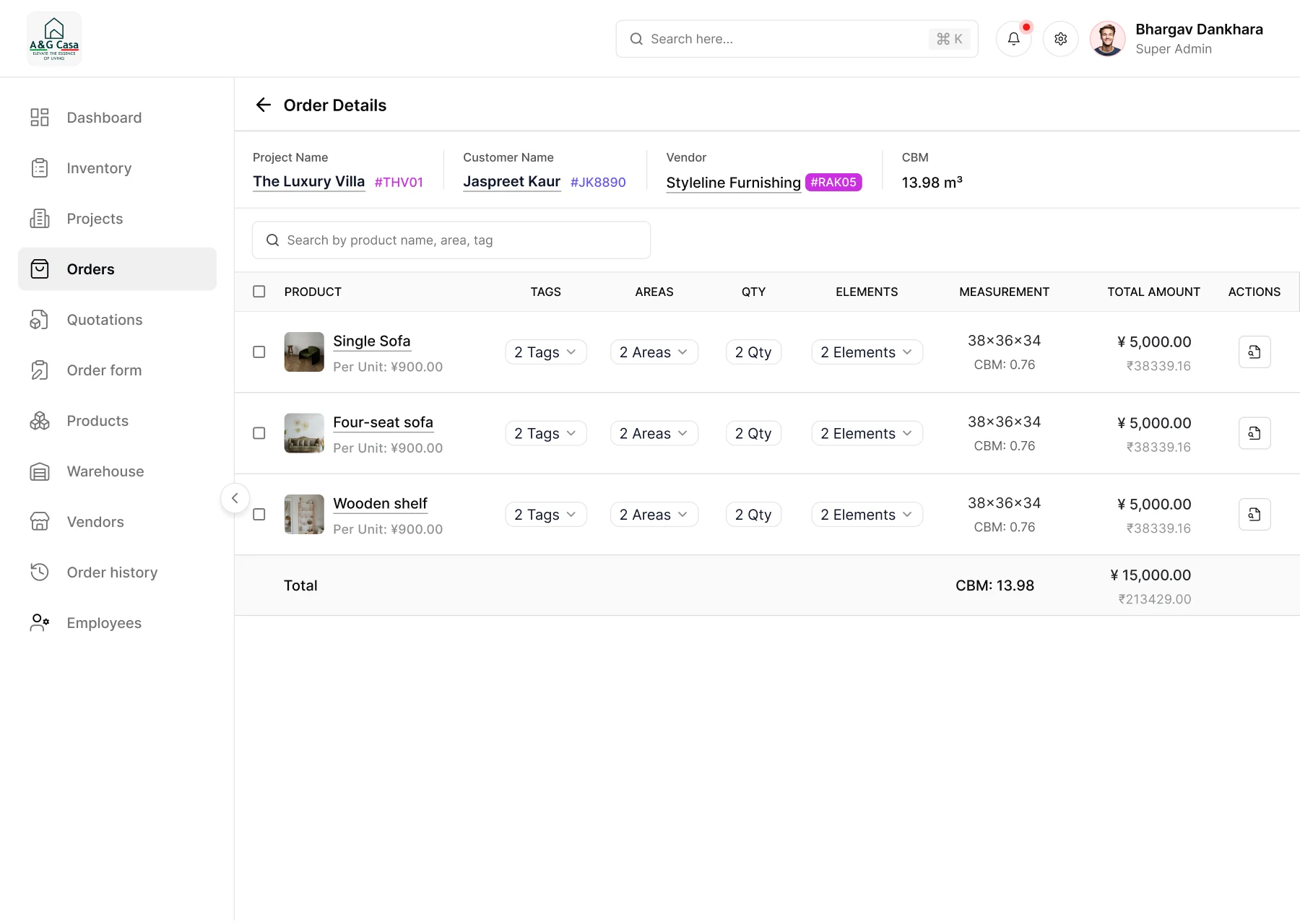
    • An order's details on the A&G CASA web app: the project, customer, vendor and total CBM up top, then each product with its quantity, measurements and amount in yuan and rupees.
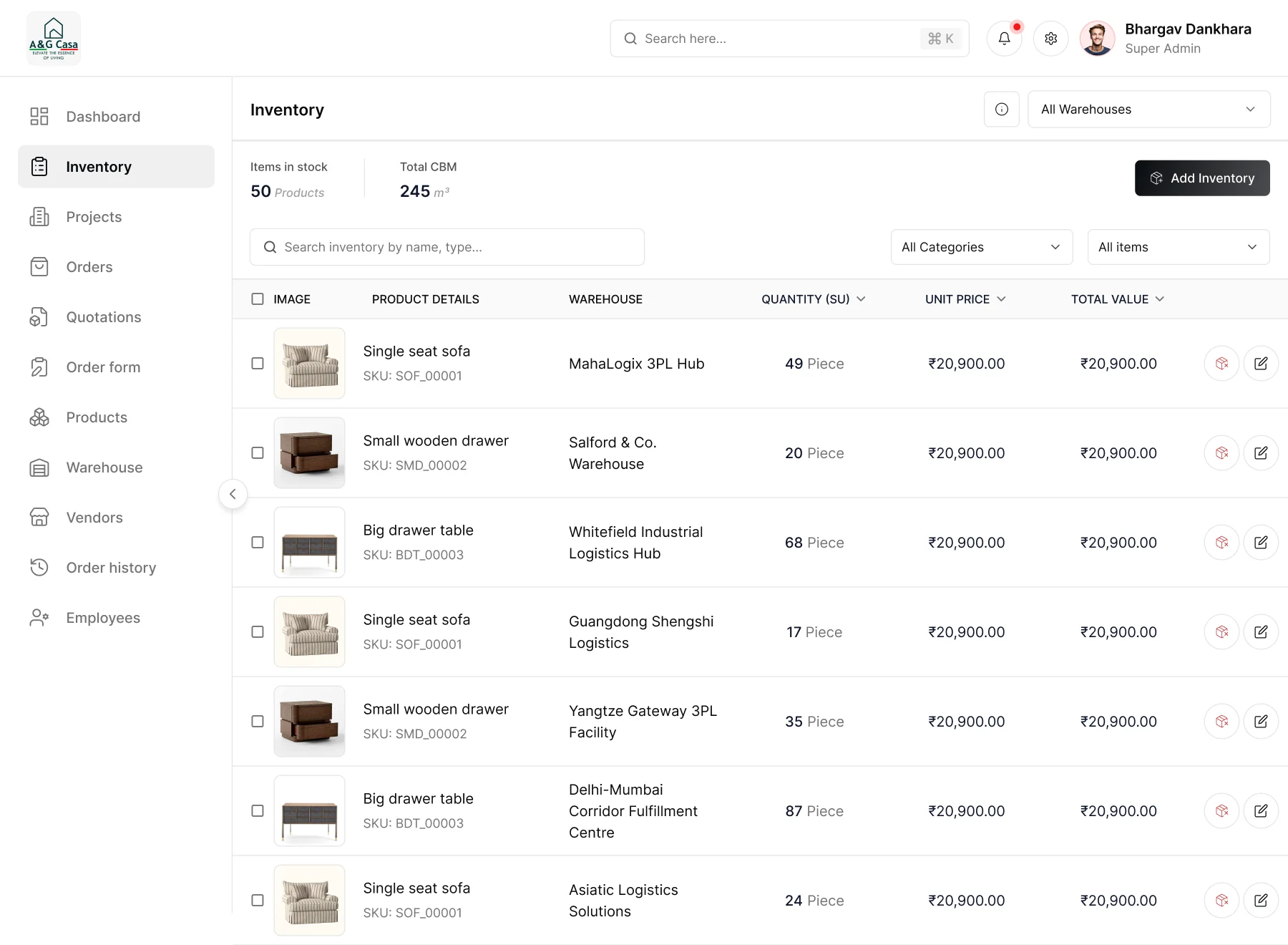
    • The A&G CASA inventory on the web app: items in stock and total CBM, then each product with its warehouse, quantity, unit price and total value.
  4. Installation

    • Project Allocation
    • Staff Updates
    • Installation Tracking

    4 / 5

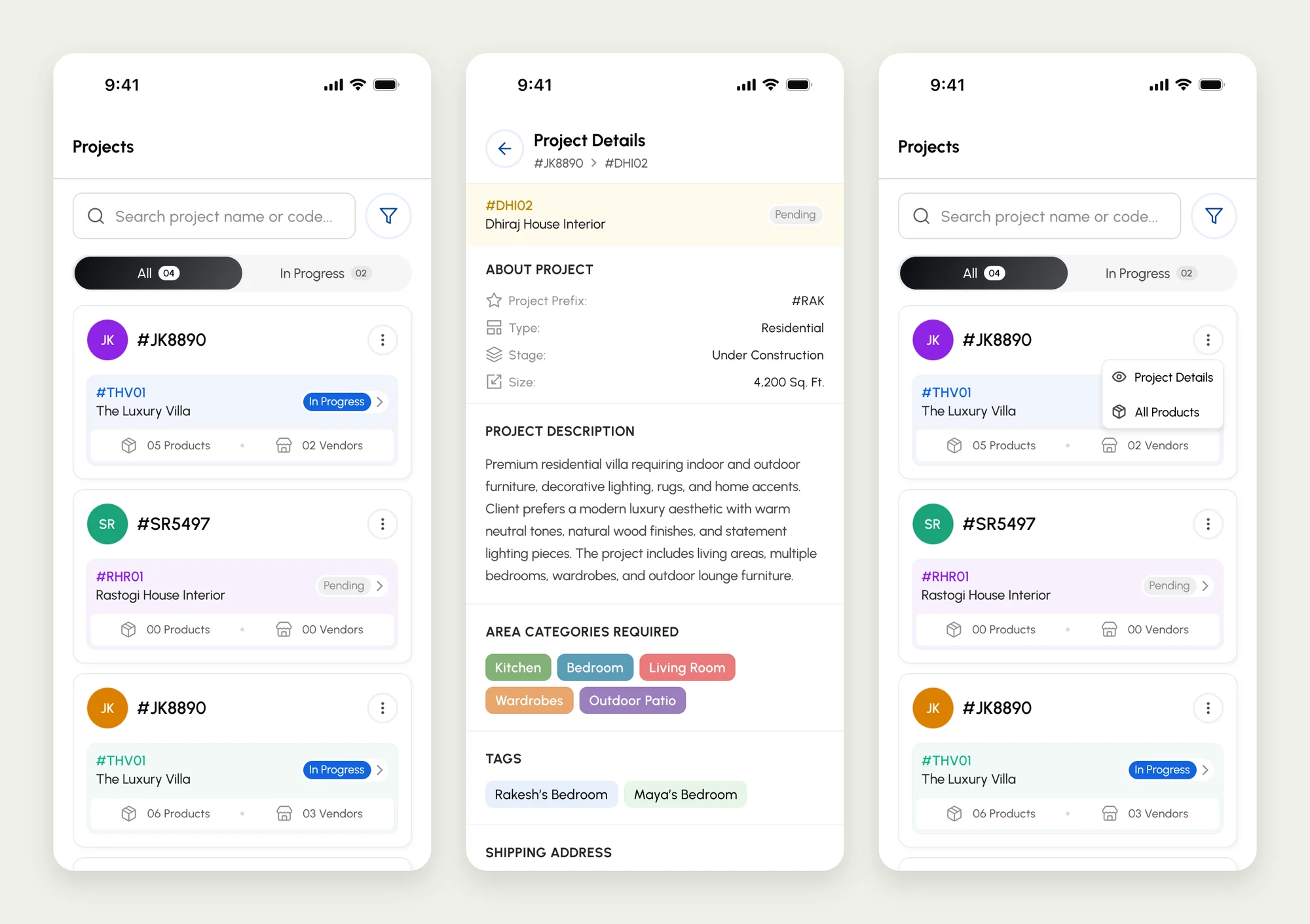
    • Three A&G CASA app screens: the project list grouped by client, a project's details with its type, stage, size, description and required areas, and the project menu for opening details or all products.
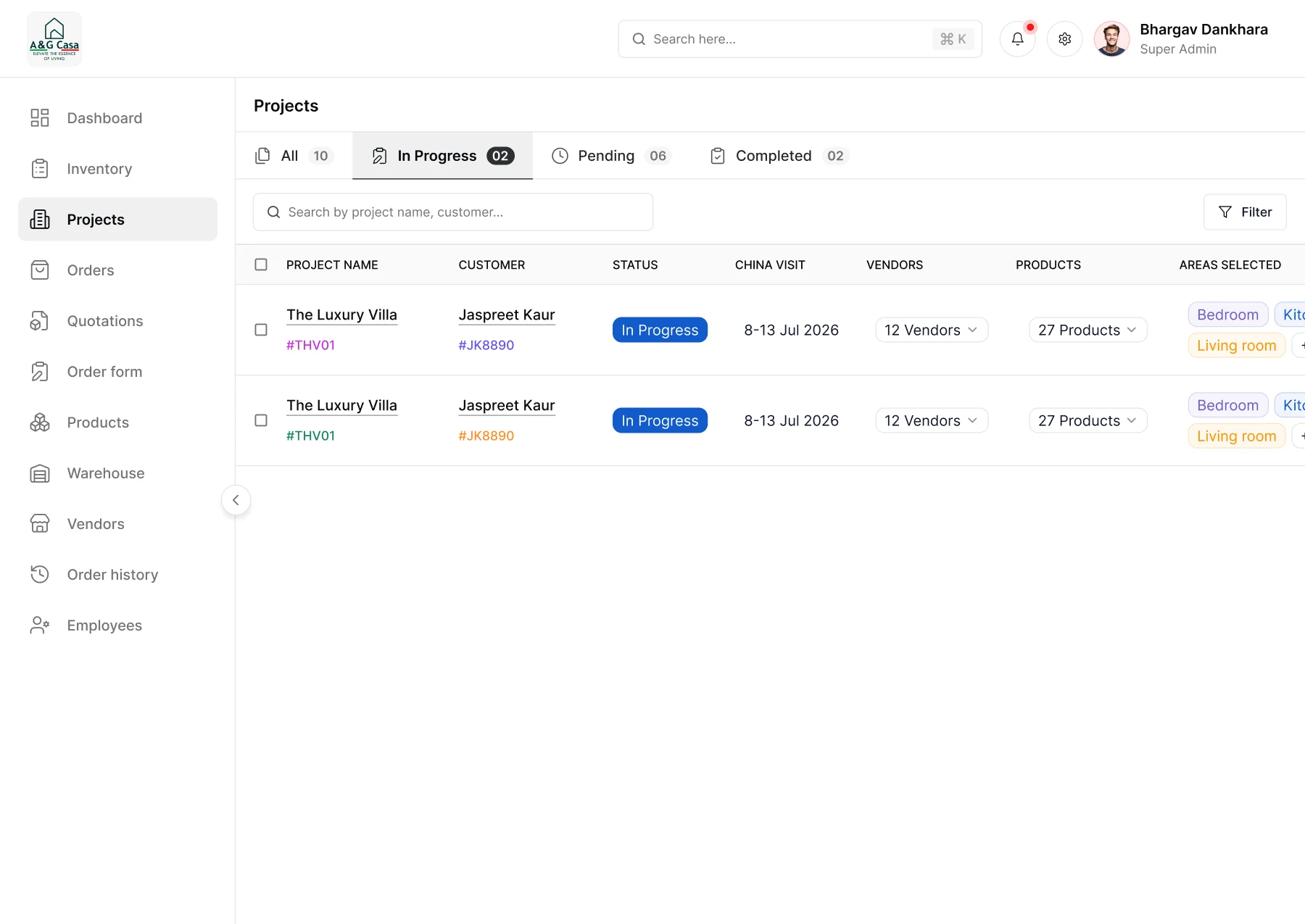
    • The A&G CASA project list on the web app filtered to the two projects in progress, with their customers, China visit dates, vendors, products and areas.
  5. Financial visibility

    • Client Wallets
    • Transaction History
    • Currency Conversion

    5 / 5

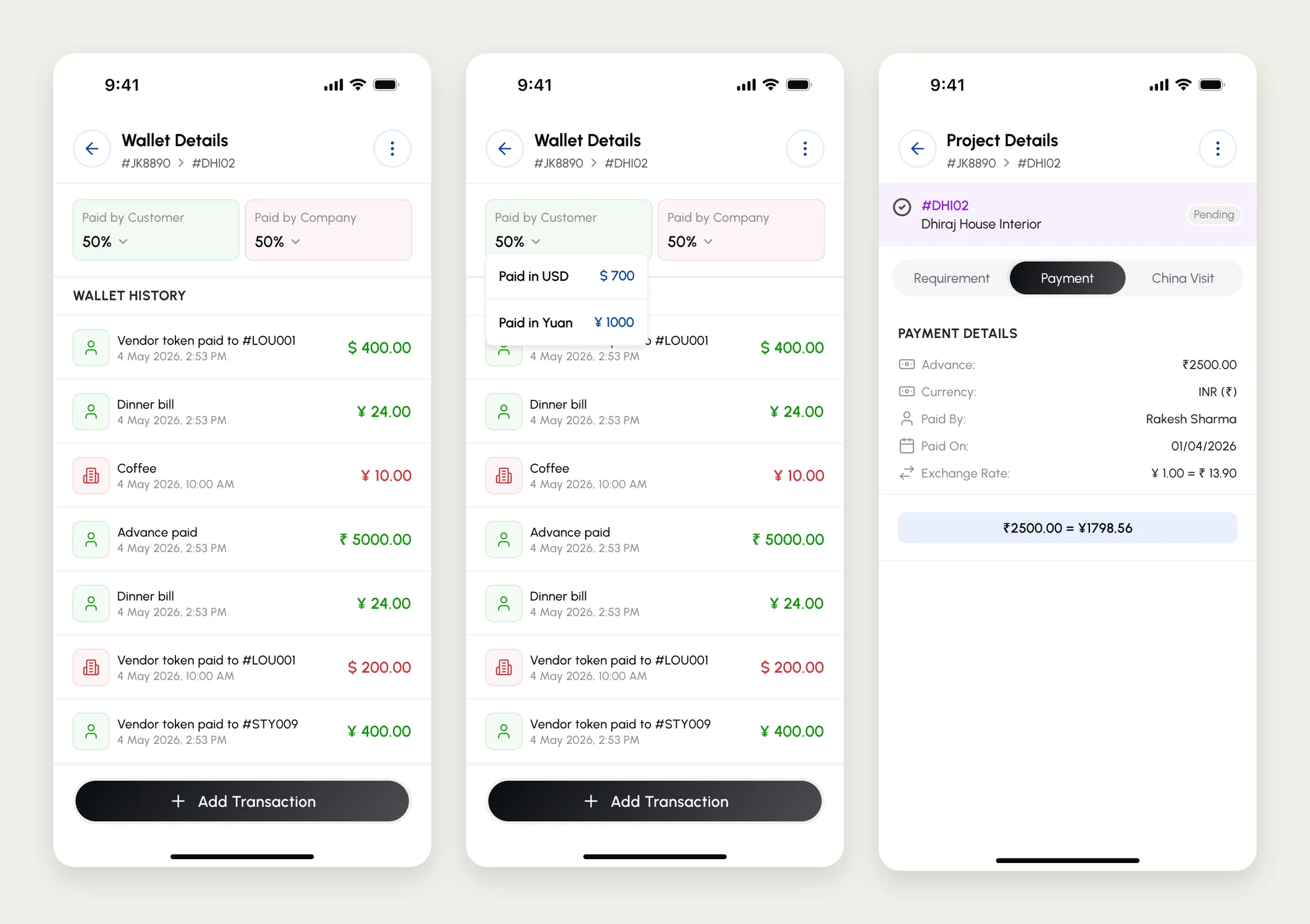
    • Three A&G CASA app screens: a project wallet's history of customer and company payments, the same wallet showing the split between US dollars and yuan, and a project's advance payment with the exchange rate.

From 3–4 days of preparation to a two-click export.

3–4 days → 2 clicks

Manual selection-file preparation replaced by digital capture and structured export.

  • Scan to identify & update

    QR-linked product information supports inspection, damage reporting, and installation tracking.

  • One connected application

    Selection, vendors, orders, shipping, and installation managed within the same system.

  • Less owner dependency

    Employees can perform operational tasks and update progress directly.